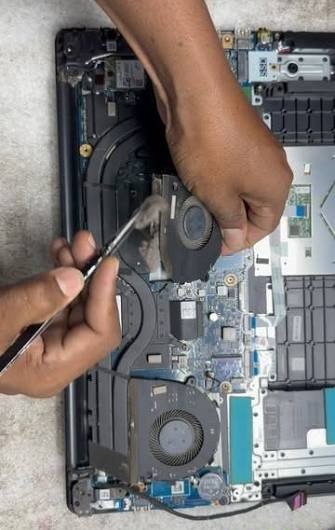
Dust Removal :
Cleaning clogged cooling fans, heatsinks, and intake vents using compressed air.
Thermal Management:
Replacing dried thermal paste on the CPU and GPU to stop thermal throttling and unexpected shutdowns.
Physical Upkeep :
Cleaning LCD screens safely and clearing debris from keyboard swhitches.
Components Upgrades:
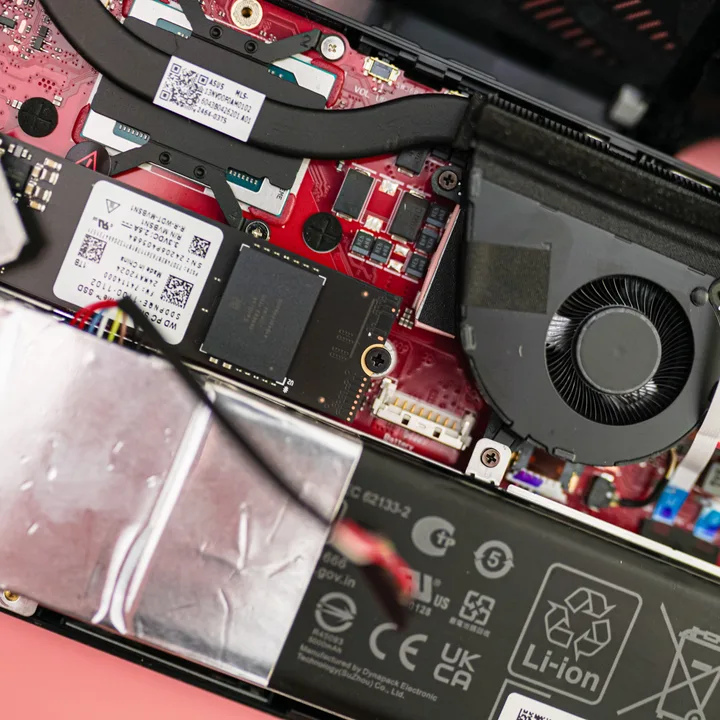
Swapping mechanical Hard Drives for fast SSDs and expanding RAM Capacity.
OS and Firmware :
Flashing corrupt Bios chips, reinstalling operating systems, and updating device drivers.
System Hygiene :
Running disk cleanups, optimizing startup items, and removing malware or viruses.
Upgrading your SSD (Solid State Drive) and RAM (Random Access Memory) fixes slow computer speeds. An SSD speeds up boot times and app launches, while more RAM helps you run multiple programs at once without lag.
Fast Startup :
Turns on your computer in seconds instead of minutes.
Quick Access :
OPens large files, games, and apps instantly.
Quiet and cool:
Has no moving parts, so it runs silently and uses less power.
REliability:
Lasts longer than old mechanical hard drives (HDDs).
Smooth Multitasking: Lets you run heavy software and web browsers together.
No stuttering : Stops the system from freezing under heavy loads.
Better gaming/rendering: Helps video editors and games run stable.